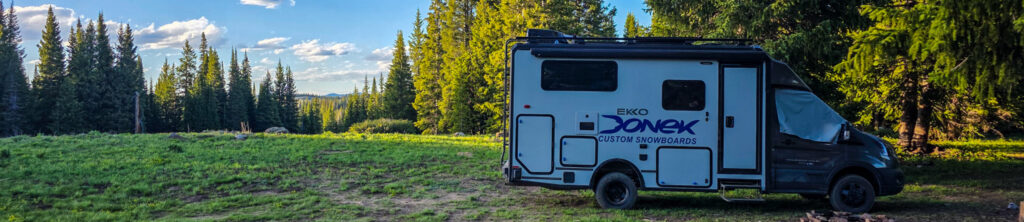
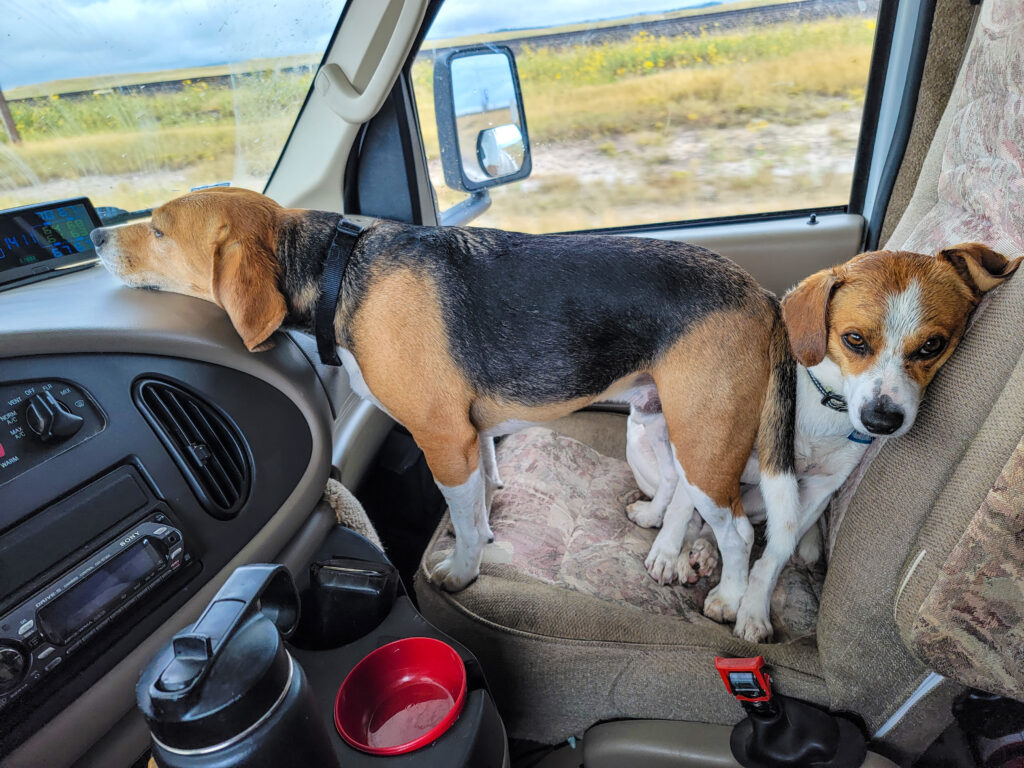
I spend a lot of time traveling alone in the BeagleBus with two beagles, Xero and Orville. They are great company, but they are terrible at reading maps.
So when I’m trying to figure out where to camp, where to get water, which road to take, what I forgot to pack, or what my backup plan should be, I use AI, maps, GPS, and camping apps as my shotgun passenger.
That does not mean I trust any of them completely.
This article is not about selling a system or pretending there is one magic prompt that finds perfect campsites. It is about sharing something I’ve learned from traveling this way: AI, Google Maps, Gaia, Campendium, AllTrails, and other tools can all be useful, but none of them are perfect.
The real trick is learning how to use them together, question the results, and make the final decision yourself.
AI Is a Research Assistant, Not the Driver
I use ChatGPT a lot when I’m planning trips or trying to find places to camp. Sometimes I use a custom GPT I made for boondocking, but less than I used to. Over time, ChatGPT has learned enough about how I travel that I often do not need to explain everything from scratch.
That is where AI can be really helpful. I can ask for possible dispersed camping areas, backup campgrounds, water sources, dump stations, grocery stops, fuel stops, route options, pre-trip checklists, or general areas worth researching.
But I do not treat the answer as final.
If something seems suspicious, I question it. I ask follow-up questions. I ask where the information came from. Sometimes I’ll check another AI tool, like Gemini, just to see whether it gives a similar answer.
That does not make the answer automatically correct, but it can help me decide whether I’m looking at something worth researching further.
AI can be a great starting point. It is not the final authority.
The Same Is True of Google Maps
It is easy to blame AI for bad information, but Google Maps has probably caused me to question things more than any other tool.
In cities, Google Maps is usually great. I put in a destination, and it gets me there.
That does not always translate well to remote travel.
I’ve had Google Maps send me down long dirt roads I never intended to drive. Sometimes that has turned into one of the most amazing drives I’ve ever taken. Other times, it has tried to send me down 40 miles of dirt road when I was tired, in a hurry, and just trying to get home.
Same tool. Totally different result.
I’ve also had Google try to route me down roads that clearly did not connect to where I was going once I actually looked closely at the map.
So I’ve learned not to blindly follow Google Maps either. If I care which route I’m taking, I need to look at the route before I start driving. I also need to watch for Google changing its mind after I’ve already chosen a route. Sometimes it will try to push me back onto the route it thinks is faster, even if that is not the route I wanted.
Cross-Checking Matters
My basic workflow is simple:
AI suggests.
Google Maps gives me a quick reality check.
Gaia gives me another layer.
Then I decide whether it makes sense.
If AI gives me GPS coordinates, I do not trust them by themselves. I usually put them into Google Maps first because it is quick and easy to switch to satellite view.
I’m looking for basic reality checks:
Is there a road?
Does the road actually go near the coordinates?
Is there a pullout or clearing?
Does it look like a place someone could actually camp?
Is the coordinate close but not exact?
Sometimes the coordinate itself is wrong, but I can see something useful half a mile down the road. Other times, there is nothing there at all. No road. No clearing. No campsite. Just a random point on a map.
That has happened enough that I no longer trust AI-generated coordinates without checking them.
After Google Maps, I’ll often check Gaia. Gaia has become more and more useful for me. It is good for marking possible campsites, adding labels, writing notes, and checking roads against different map layers. It has a learning curve, but it gives me information I do not always see elsewhere.
AllTrails can be useful too. Sometimes it shows trails or access points I do not see on other maps. Other times it misses trails that Gaia shows. That is another reminder that no single map has everything.
Every tool shows the world a little differently.
Campendium and Other Camping Apps
I have used Campendium quite a bit, mostly because I became familiar with it.
It used to be really useful for filtering free campsites and looking through photos. Lately, after website changes, it has not worked as well for me. The filters do not seem as useful, and the photo browsing experience feels worse than it used to.
That is another part of this whole process: tools change.
A tool that was great last year may not be as useful now. That does not mean it is worthless, but it does mean I do not want to be dependent on only one app.
When These Tools Work
AI has helped me find real options I might not have found otherwise.
One of the better examples was Itch-Kep-Pe Park in Montana. I was looking for winter-accessible camping, which is hard to find in the U.S. if you want something free or close to boondocking. AI helped surface that option, and it turned out to be useful.
That is where AI can shine. It can take a messy problem and point me toward places worth researching.
It is also useful when plans change. If I arrive somewhere and a campground is full, a road looks bad, or a campsite does not exist, I can ask AI to help me find alternatives nearby.
That does not mean I drive blindly to the next suggestion. It means I have a faster way to generate options.
When These Tools Fail
They fail too.
AI has given me GPS coordinates that were not campsites. In some cases, there was not even a road to the coordinate.
Google Maps has sent me down roads I did not want to be on.
Camping apps may have old information, missing photos, bad filters, or reviews that do not match current conditions.
Trail apps may show a trail that is not useful or miss one that is obvious on another map.
That is why I do not think of any of these tools as the answer. They are inputs.
The answer comes from comparing the inputs and deciding what makes sense.
Traveling Loose, But Having a Reset Point
My travel style is loose.
I usually do not build a strict plan for exactly where I’m going to camp every night. A lot of the time, I point the camper in a general direction and see where I wind up.
That works for me. I do not do especially well with rigid schedules, and part of what I enjoy about this style of travel is the freedom to change my mind.
But there is a difference between flexible and careless.
Grand Mesa was a good example. I had been there before and had a couple possible spots in mind. When I arrived, one was not good, and another place I had marked was not actually a campsite.
At that point, I had been driving all day and was not thinking clearly. The best decision was not to keep forcing the plan. The best decision was to aim for a known National Forest campground. I could pay for a night, stop the search, clear my head, and figure things out the next day.
On the way to that campground, I found a dispersed site nearby and stayed there. The next day, I went for a hike and found the kind of site I had remembered seeing years earlier. I ended up staying there for several days.
That is the balance I’m trying to learn.
Travel loosely, but have a way to stop the spiral when the loose plan stops working.
If I’m arriving in a new area late in the day after a long drive, having a known first-night option can be really helpful. It does not have to be perfect. It just has to be reliable enough to let me stop, settle in, and think clearly.
AI Is Also Useful Before the Trip Starts
One of the most useful AI prompts has nothing to do with finding campsites.
It is simply asking, “Am I ready to leave?”
That may sound basic, but it is massively helpful. It is easy to forget one small thing, and it is incredibly frustrating to discover it after I am already on the road.
AI is good at building checklists because it does not get bored, it does not assume I remembered something, and it can adjust the list based on the trip.
A winter snowboarding trip, a summer boondocking trip, a quick overnight, and a week in a remote area all need slightly different checks.
For me, that might include food, clothing, dog supplies, water, propane, power, electronics, tools, medications, Starlink, camera gear, camper systems, and all the little things that need to be secured before driving.
This is one of the ways AI can be helpful without being risky. It is not telling me to drive down a mystery road. It is helping me avoid leaving home without something important.
What I Try to Verify
Before I trust a campsite or route suggestion, these are the things I try to check:
Whether the road actually exists.
Whether the road appears to reach the campsite.
Whether there is a visible pullout, clearing, or existing disturbed area.
Whether the route makes sense for the BeagleBus.
Whether Google Maps is trying to reroute me onto something I did not choose.
Whether there are seasonal closures, fire restrictions, road closures, mud, snow, or weather concerns.
Whether I have a backup if the first option does not work.
I am not perfect about checking all of this every time. Sometimes I miss things. But the more remote the area, the more important these checks become.
A Few Prompts That Help
There is no magic prompt, but these are the kinds of prompts I find useful.
Am I ready to leave?
I am getting ready to leave on a camper trip in a [vehicle/camper type]. I will be traveling for [number of days] in [season/region] with [people/pets]. Help me make sure I am ready to go. Create a checklist covering food, clothing, water, power, propane, fuel, tools, safety gear, medications, dog supplies, electronics, documents, camper systems, route planning, weather, and things to secure before driving. Include anything that is easy to forget.
Finding possible areas
I am traveling in a [vehicle type and size] and looking for legal dispersed camping near [area]. I prefer quiet, scenic locations and want to avoid RV parks when possible. Give me several possible areas to research, not just exact campsite coordinates. Include road names, land manager, elevation, likely access difficulty, dog considerations, and what I need to verify before going.
Building a route
I am driving from [start] to [destination] and want to keep driving days around [X] hours. I prefer scenic routes and dispersed camping or simple public campgrounds. Suggest 2–3 route options with possible overnight areas, fuel stops, water or dump options, and backup camping options. Clearly separate confirmed information from things I need to verify.
Verifying a possible campsite
I found a possible campsite at [name, road, or coordinates]. Help me verify whether it is legal and practical for a [vehicle type and size]. Check land ownership, road access, seasonal closures, fire restrictions, recent reports, and nearby backup options. Do not assume the coordinates are correct.
Finding water, dump, fuel, groceries, or trash
I am camped near [area] and need to find fresh water, a dump station, fuel, groceries, and trash disposal. Prioritize practical stops along my likely route. Tell me which ones are official, which ones need confirmation, and what search terms I should use to verify them.
Finding a backup when the first option fails
My first camping option did not work. I am currently near [location], it is [time of day], and I need a realistic backup within [distance or driving time]. Prioritize easy access and legal overnight options. Include dispersed options, public campgrounds, and last-resort paid options.
The Main Point
AI can help. Google Maps can help. Gaia, Campendium, AllTrails, and other tools can all help.
But none of them are the driver.
Use the tools. Question the answer. Cross-check the route. Look at the satellite view. Check another map. Pay attention to daylight, fuel, water, weather, and how tired you are.
Sometimes a weird suggestion becomes an adventure.
Sometimes it is just a bad idea.
The difference is not the tool. The difference is whether you still make the decision yourself.